jpg to svg with color free converter
Click here to Upload Image
Supported: JPG, PNG
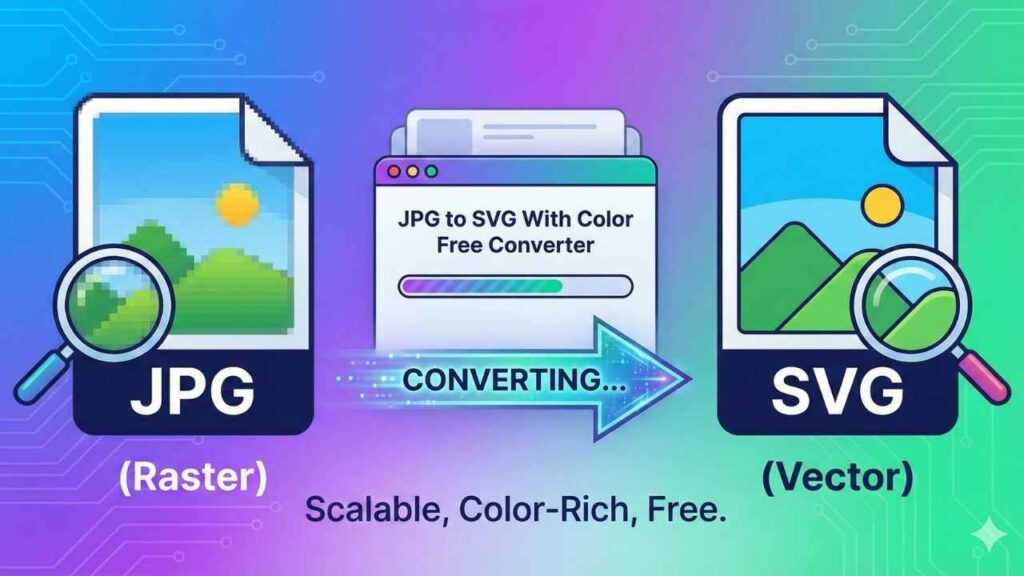
Before understanding the process, it’s important to understand the difference between raster and vector images.
The Problem with Raster (JPG/PNG)
Raster images are made up of tiny squares called pixels—like a mosaic floor. From afar, it looks perfect; but when zoomed in, the blocks become visible.
- Limited Scalability: Stretching a JPG for banners or billboards makes it blurry.
- Fixed Resolution: You cannot increase quality once saved.
The Solution: Vector (SVG)
SVG stands for Scalable Vector Graphics. Instead of pixels, SVGs use mathematical formulas to draw lines and shapes.
- Infinite Scalability: Zoom in 1000%—it stays sharp.
- Editable: Colors and shapes can be changed easily.
- Small File Size: Perfect for logos and icons, improving website speed.
How Our JPG to SVG With Color Free Converter Works
Many converters simply “wrap” your JPG inside an SVG file without actual vectorization. This means the blurry image remains blurry.
Our jpg to svg with color free converter uses a real vectorization method called Image Tracing.
The Process
- Scanning: The tool scans your image pixel by pixel.
- Color Separation: It detects different colors based on your settings.
- Path Creation: Mathematical paths are drawn around each colored region.
- Rendering: These paths are compiled into SVG code readable by browsers and design software.
The result is a true vector file that is fully editable and scalable.
Step-by-Step Guide: How to Use This Tool
This tool is designed for simplicity—no design experience required.
Step 1: Upload Your Image
Click on “Click here to Upload Image” and choose any JPG or PNG from your device.
Tip: High-contrast images or logos convert best.
Step 2: Choose Your Color Mode
The most important feature of our converter:
- Color (Keep Original): Retains the look of your image.
- Black & White: Creates silhouettes or stencils (great for cutting machines).
Step 3: Adjust Color Count (The Magic Slider)
This controls how detailed your vector becomes.
- Low Number (2–8): Simplifies image—cartoonish, artistic, light.
- High Number (32–64): Closest match to original photo.
Step 4: Convert
Click “Convert Now”.
Processing happens locally in your browser for privacy.
A preview appears in seconds.
Step 5: Download
Click “Download SVG” to save your vector file.
Use it for websites, printers, Cricut machines, or design software (Illustrator, Inkscape).
Best Use Cases for This Tool
Who benefits from a jpg to svg with color free converter?
Web Designers & Bloggers
SVGs look sharp on all devices, including Retina displays.
Print on Demand (T-Shirts, Mugs)
Printers need vector files for clean printing. This tool converts drawings or JPGs into print-ready vectors.
Laser Cutting & Cricut Users
Cutting machines read paths, not pixels.
Black-and-white JPGs convert perfectly into cuttable SVGs.
Logo Restoration
Lost your original logo file?
Use this tool to rebuild a vector version from a small JPG.
Tips for the Best Quality Conversion
- Input Quality Matters: The tool can’t create details that don’t exist.
- Simplicity Works Best: Logos and drawings convert better than complex photos.
- Experiment with the Slider: Adjust color count until the image looks right.
Frequently Asked Questions (FAQ)
1. Is this tool really free?
Yes. No signup, no email, no subscription.
2. Does it work on mobile phones?
Yes. Built with HTML5 and works on Android, iPhone, tablets, and PCs.
3. Is my data safe?
Absolutely. Processing happens locally in your browser.
Your images never leave your device.
4. Can I convert a photograph into an SVG?
Yes, but complex photos may produce large files with thousands of shapes.
5. What is the difference compared to a simple “Save As”?
“Save As” only changes file extension; it keeps the internal structure as pixels.
This tool traces real geometric shapes—true vectorization.
6. Why does the SVG look slightly different from the JPG?
Vectors smooth edges and remove noise.
This gives a clean, illustrated finish—ideal for design work.
Conclusion
In digital content, quality is everything.
A blurry image makes a website look unprofessional.
By using our jpg to svg with color free converter, your graphics become crisp, scalable, and ready for any use—from web design to professional printing.
Stop struggling with pixelated images.
Try the converter today and experience the power of vector graphics!
Disclaimer
This tool is designed for personal and professional convenience.
While it delivers high-quality traces, complex professional design work may still require manual vector editing.
Pingback: Imaze Resizer For Tiktok Online For Free - JPG to JPEG